
 Virtual Engine Room – Free Student Version is a fully functional simulator of the engine room with a low speed diesel engine and fixed pitch propeller. The simulator is free for the personal use by all students of maritime colleges and trainees from maritime training centres.
It is not allowed to use Virtual Engine Room – Free Student Version as a training aid for any commercial purposes or to sell it.
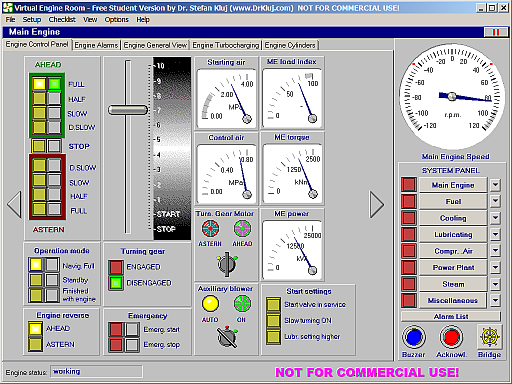
The computer model is based on actual plant data and will react naturally under any operating conditions. The model is divided into several modules each dealing with one sub-system and comprises:
- Main Engine
- Fuel System
- Cooling System
- Lubricating System
- Compressed Air System
- Power Plant
- Steam System
- Miscellaneous Systems (Bilge System, Ballast System, Fire Fighting System, Steering Gear).

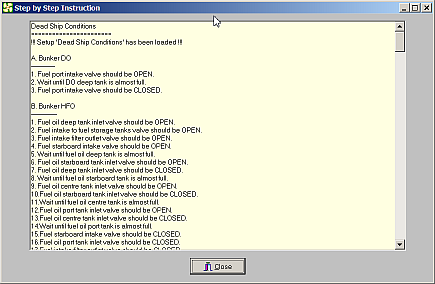
Virtual Engine Room – Free Student Version includes detailed Step by Step Instruction which will guide the user from the dead ship conditions to Full Ahead at sea. The execution of the instruction can be stopped any time but the obtained results (engine room status) cannot be saved for a future continuation.
In order to be able to use Virtual Engine Room – Free Student Version you should have the Internet connection and you should follow the instruction given below:
- Download Virtual Engine Room – Free Student Version by clicking this link: ver_free_install.zip
- Unzip the setup files and install on your hard disk.
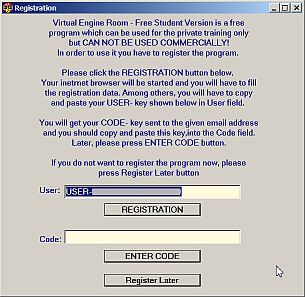
- Start VER_FREE for the first time in order to finalize the program registration. You will see the window shown below.
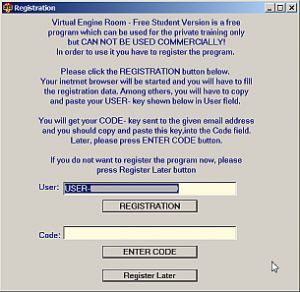
- 1.Click REGISTRATION button and you will be connected with Registration Form at Author’s web site.
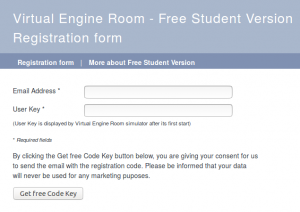
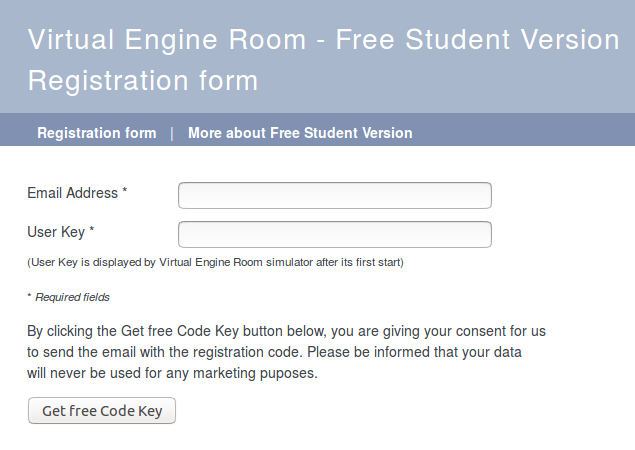
Fill the obligatory fields in the form, copy User Key from Userfield in VER_FREE window and paste it in Registration Form.GENERAL DATA PROTECTION RULES
With the introduction on the 25th May 2018 of the GDPR, designed to unify data privacy requirements across Europe, we would like to ensure you have opted in to recieve the email with the registration code.
By clicking the Get free Code Key button below, you are giving your consent for us to send the email with the registration code. Please be informed that your data will never be used for any marketing puposes.
- Click Get free Code Key button at the form and you will see your unique Code Key. This key will be also send to your email address entered during the registration. Now, you can copy the Code Key from the screen or from your email message and paste it in Code field in VER_FREE window.
- Now, please click ENTER CODE button.
- This registration code will remain valid for the specific PC where User Key was generated. In case you have to reinstall the operating system, you can restore your Code Key from Author’s web site by entering again the User Key after new software installation and its first start. If you want to install Virtual Engine Room – Free Student Version in another computer you will get a new User Key and you will have to repeat the registration.
Known installation issues:
1. The User Key field is empty when starting Virtual Engine Room – Free Student Version for the first time. It means most probably the compatibility problem of your PC (hardware or drivers), so the best solution is to start the installation in another PC. Please note, that it is not possible to deliver any other (spare) User Key in such a case, and without User Key the Virtual Engine Room – Free Student Version will not work.
2. It is possible to get User Key and the working Code Key is delivered but the registration process must be repeated each time the program is started. It means most probably that you have no full access rights (including write) to the folder where the simulator is installed. You can do two things:
a. Set Read/Write rights for All Users in the Security tab of this folder (see Windows manual for details) ,
b. Install again the Virtual Engine Room – Free Student Version in one of your user sub folders where you have the write rights. The best method to check if you have the write rights in this folder is to create a simple short text file in this folder, save it and try to read it.